We are happy to announce the launch of the Shipshape Web Dashboard, where you can access your account online to view home health scores, appliance data, and device analytics all in one place. While the mobile app remains at the center of the Shipshape experience, the new web dashboard provides another convenient way to stay connected and manage your home from your computer.
Your Home’s Health at a Glance
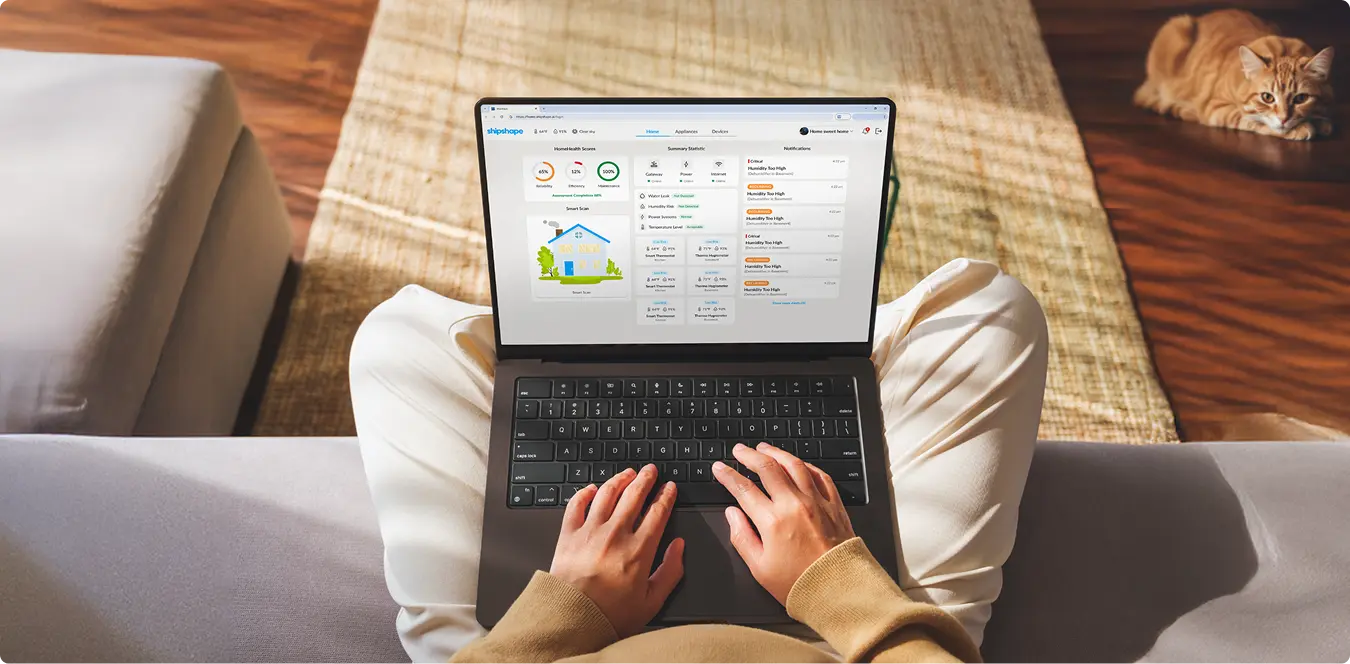
When you log in, the Home tab provides a clear overview of your home’s health. You can see your HomeHealth Score, review notifications, and check key statistics that help you stay ahead of maintenance needs. It’s a simple, informative view of how your home systems are doing.
Track and Manage What Keeps Your Home Running
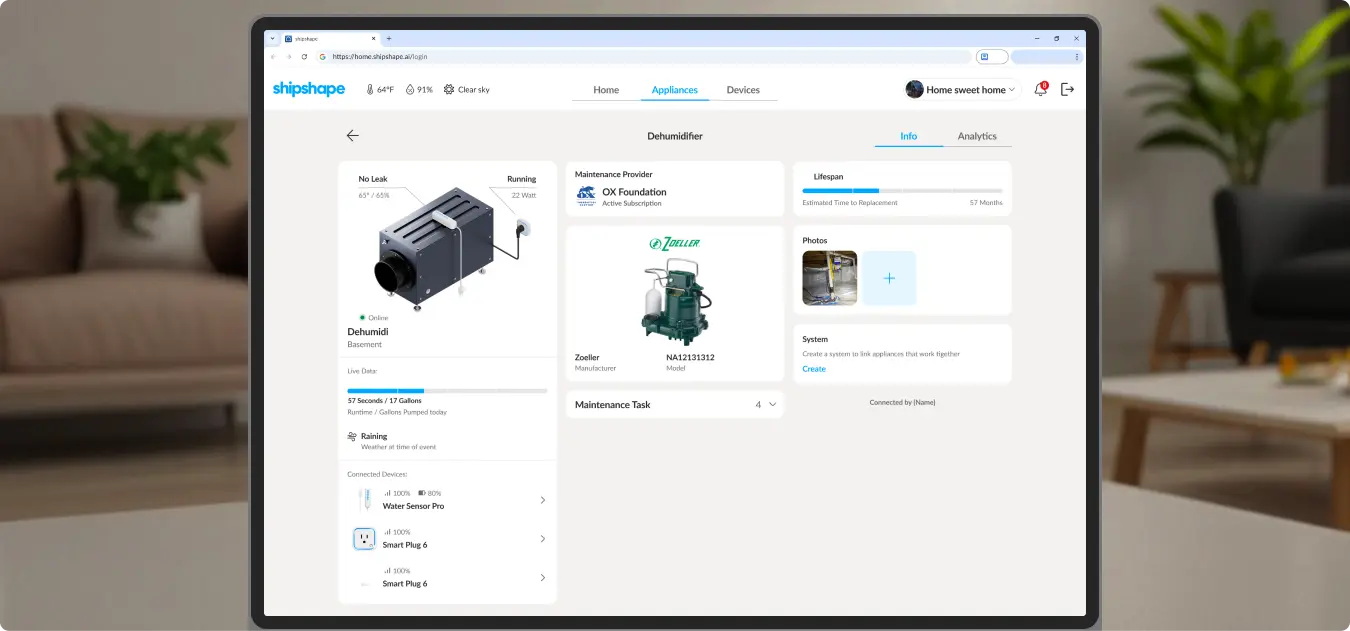
The Appliances tab helps you keep track of all your connected systems, such as your dehumidifier, sump pump, refrigerator, or HVAC unit. You can see which appliances are running, how much power they use, and how efficiently they perform over time.
Within this view, you can check the working time and activity history of systems like your sump pump or dehumidifier, view manufacturer details and maintenance provider information, and add photos to show where each appliance is installed. You can also monitor lifespan estimates to know when replacement or service might be needed and even request maintenance directly through your connected provider.
Everything you need to monitor and manage your home’s appliances is available in one clear and easy-to-navigate dashboard.
Your Connected Ecosystem
The Devices tab gives you a complete view of your home’s connected network. Here, you can see every sensor and smart device that keeps your systems running efficiently, all linked together in one easy-to-manage place.
You can view:
- All sensors connected to your appliances, such as water sensors and power monitors.
- Smart devices like thermo-hygrometers, smart plugs, and thermostats, showing real-time status and activity.
- Connection details that help you understand how devices are linked across systems.
- Gateway information, making it easy to assign or manage devices directly from the dashboard.
This view helps ensure your home’s ecosystem is working together seamlessly, giving you confidence that everything is connected and functioning as it should.

How to Access the Web Dashboard
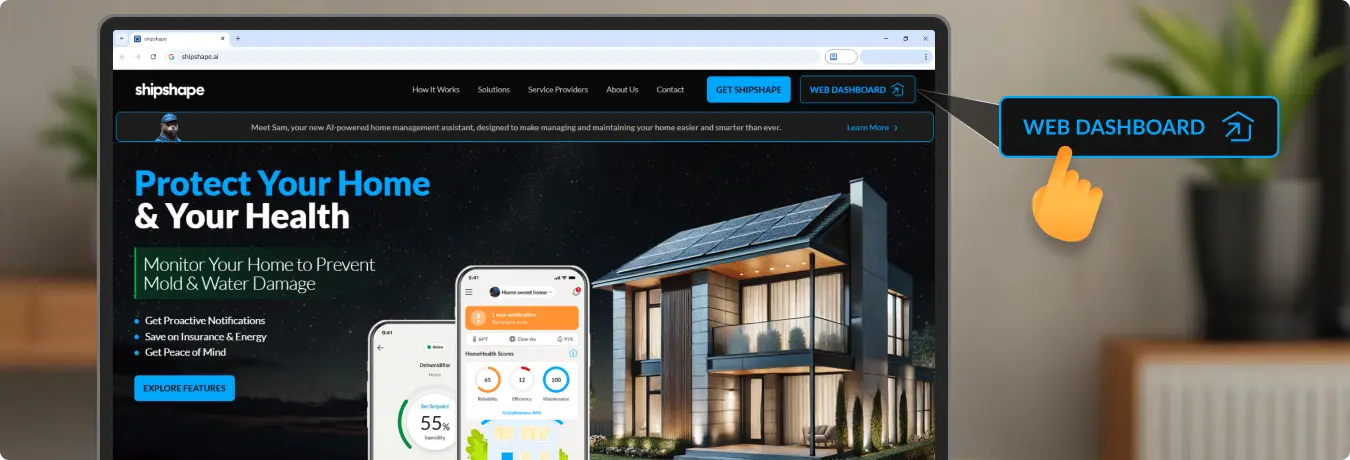
To get started, use the “Web Dashboard” button in the header above.
Log in with your Shipshape account or create one to see your home’s insights online.
Stay Connected with Shipshape
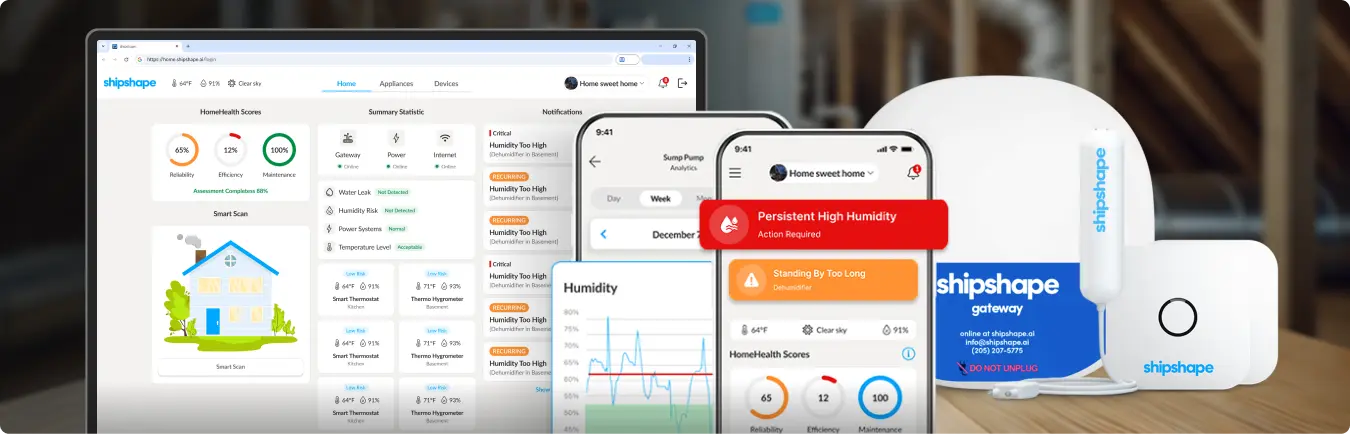
Shipshape makes managing your home simpler and smarter, wherever you are.
- Download the Shipshape App to monitor your home on the go.
- Order a Shipshape Kit to connect your devices and sensors.
- Log in to the Web Dashboard to see your home in a whole new way.
